
Parabolic SAR
The Parabolic SAR (Stop and Reverse) is a popular technical indicator used in financial markets to identify potential trend reversals. Developed by J. Welles Wilder Jr., it utilizes a series of dots plotted on a price chart to highlight potential entry and exit points.
The Parabolic SAR dots are positioned above or below the price, depending on the direction of the prevailing trend. When the dots are below the price, it indicates an uptrend, while dots above the price indicate a downtrend. The dots gradually adjust their position as the price evolves, creating a parabolic shape. Traders often use the Parabolic SAR as a tool for setting stop-loss orders and trailing stops, as it dynamically adapts to market conditions and can help identify potential trend reversals in a timely manner.
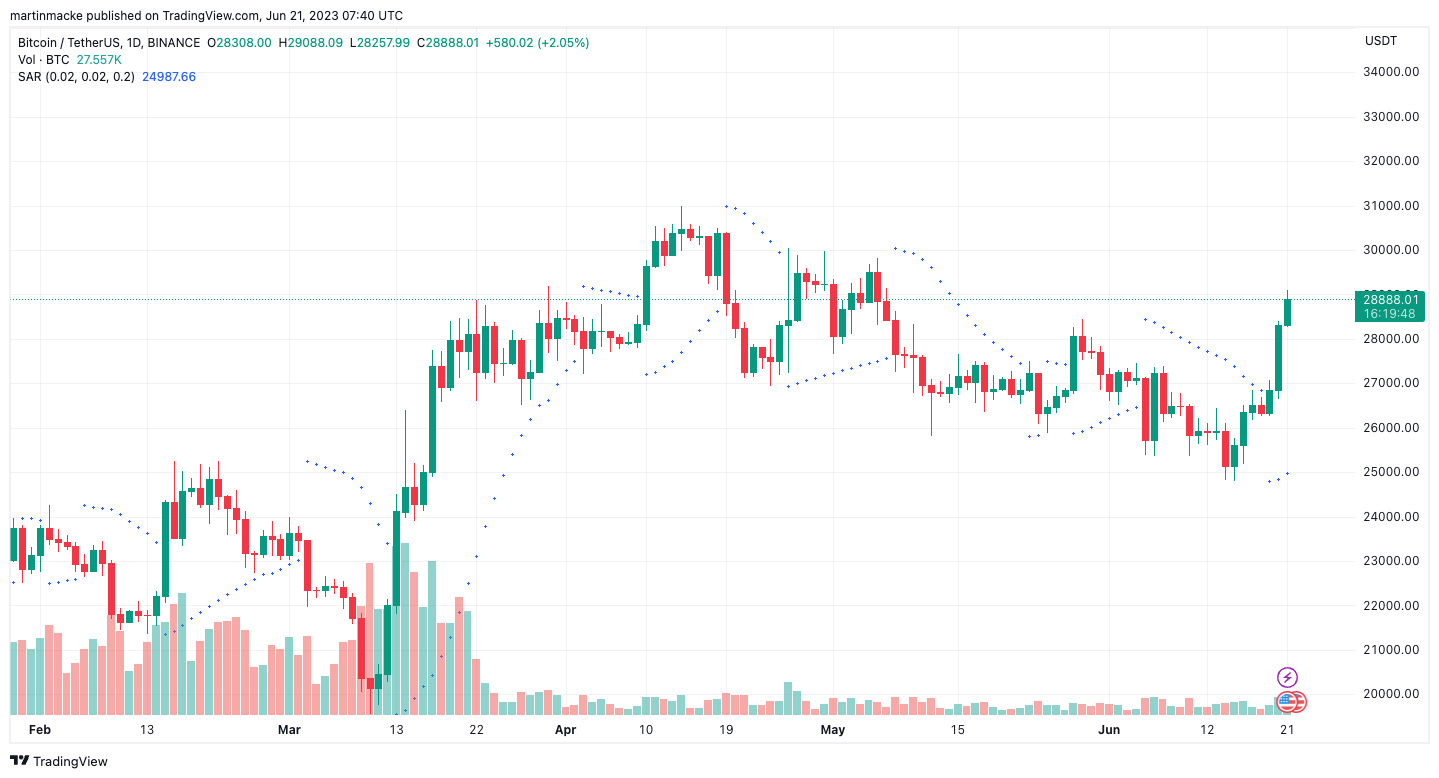
In the Parabolic SAR formula, users have the flexibility to adjust three optional parameters: start, increment and maximum. The start parameter determines the initial acceleration factor for the indicator. The increment parameter specifies the rate at which the acceleration factor increases over time. Lastly, the maximum parameter sets the upper limit for the acceleration factor. By modifying these parameters, traders can customize the sensitivity and responsiveness of the Parabolic SAR indicator to suit their trading strategies and market conditions.
Get started with the psar
Simply make an HTTPS [GET] request or call in your browser:
[GET] https://api.taapi.io/psar?secret=MY_SECRET&exchange=binance&symbol=BTC/USDT&interval=1h
API response
The psar endpoint returns a JSON response like this:
					{
  "value": 38091.00023984
}
Example response from TAAPI.IO when querying psar endpoint.
API parameters
binance,
binancefutures or one of our supported exchanges. For other crypto / stock
exchanges, please refer to our Client
or Manual integration methods.
BTC/USDT Bitcoin to Tether, or
LTC/BTC Litecoin to Bitcoin...
1m,
5m, 15m, 30m, 1h, 2h,
4h, 12h, 1d, 1w. So if you're
interested in values on hourly candles, use interval=1h, for daily values
use interval=1d, etc.
backtrack parameter removes candles from the data set and calculates
the psar value X amount of candles back. So, if you are fetching the
psar on the hourly and you want to know what the
psar was 5 hours ago, set backtrack=5. The default is
0.
chart parameter accepts one of two values: candles or
heikinashi. candles is the default, but if you set this to
heikinashi, the indicator values will be calculated using Heikin Ashi
candles. Note: Pro & Expert Plans only.
true or false. Defaults to false. By setting to
true the API will return a timestamp with every result (real-time and
backtracked) to which candle the value corresponds. This is especially helpful when
requesting a series of historical values using the results parameter.
1685577600
1731456000 If
you only use fromTimestamp, the API will return all results from that time until
present.
number or max. Use this parameter to access historical
values on the past X candles until the most recent candle. Use max
to return all available historical values. Returns an array with the oldest value on top
and most recent value returned the last.
Determines the initial acceleration factor for the indicator.
Default: 0.02
Specifies the rate at which the acceleration factor increases over time.
Default: 0.02
Sets the upper limit for the acceleration factor.
Default: 0.2
More examples
Let's say you want to know the psar value on the last closed
candle on the 30m timeframe. You are not interest in the real-time value, so you
use the backtrack=1 optional parameter to go back 1 candle in history to the last
closed candle.
[GET] https://api.taapi.io/psar?secret=MY_SECRET&exchange=binance&symbol=BTC/USDT&interval=30m&backtrack=1
Get psar values on each of the past X candles in one call
Let's say you want to know what the psar daily value was each
day for the previous 10 days. You can get this returned by our API easily and efficiently in one
call using the results=10 parameter:
[GET] https://api.taapi.io/psar?secret=MY_SECRET&exchange=binance&symbol=BTC/USDT&interval=1d&results=10
Looking for even more integration examples in different languages like NodeJS, PHP, Python, Curl or Ruby? Continue to [GET] REST - Direct documentation.